Free
CHF 0
Record, transcribe and summarize on your device. Unlimited.
- Everything on every device
- On-device summaries with Apple Intelligence
- Notes while you record
- Search
Seduta records your calls and meetings on your Mac, iPhone or Apple Watch. A small red dot shows it is listening. It transcribes on the device and writes down who decided what. No bot joins the call, there is no account, and no server of ours ever sees a word.
Swipe through a real Seduta flow. Nothing is recorded.
Seduta sees Zoom, Teams or Meet open the microphone and asks if it should record.
Transcribed on the device, speakers told apart, voices remembered.
Summary, decisions and action items, ready when the call ends. Tick them off, edit, or pick another template.
They work hand in hand through your own iCloud Drive: record on the one you have with you, read the notes on any of them. It is private to your Apple Account, encrypted by Apple, and end-to-end encrypted if you turn on Advanced Data Protection. How Apple protects iCloud.
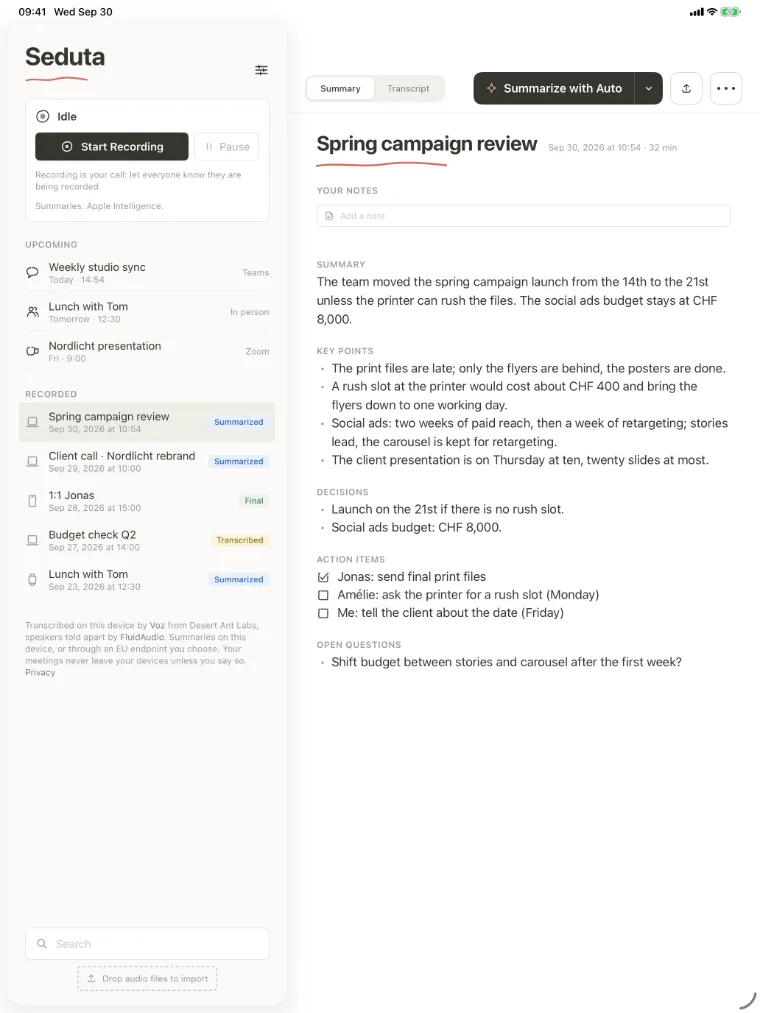
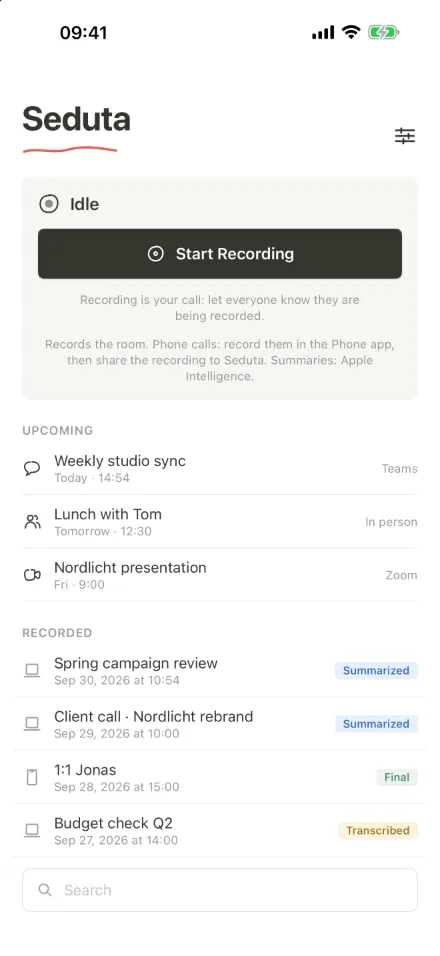
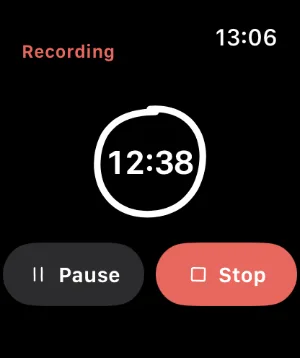
iPhone for meetings in person, with a Live Activity on the lock screen, and phone calls shared from the Phone app. iPad in split view. On the Watch, record the conversation you’re in or pause the phone from your wrist. They share one Seduta folder in your own iCloud Drive, encrypted by Apple. How Apple protects iCloud.
On your Mac, iPhone or iPad. The audio never leaves it for that.
Every meeting is a folder you can open, back up or delete. No account, no database of ours.
On the device, on European servers with Plus, or with your own key.
App Store prices for Switzerland.
Apple sets the price in your country. Bought and managed through your Apple Account.
European models first, because meetings are among the most private things a company has.
Seduta stands on other people's work. These models run on your Mac, iPhone or iPad, not on a server.
The speech model from Desert Ant Labs turns the recording into words, in 25 European languages, on the device.
FluidAudio tells the speakers apart on the device, so Seduta can put a name to each voice.
On the Mac, the Flix model from Flix-AI writes down Swiss German, in a version we compressed for Apple devices. An optional download.
The models are downloaded to your device once. Your audio is transcribed right there and never leaves it. What leaves your device, exactly →
Ask Claude about your meetings. It reads your notes on your Mac, read-only, and only in apps you paired. Audio and voices never go to it.
 Claude Code
 Claude Desktop & Cowork
Let's start with the launch date. Are we still on for the 14th?
The print files are late, so the 21st is safer.
I can ask the printer for a rush slot on Monday.
Good. If they can't do it, we move to the 21st and tell the client on Friday.
And the budget for the social ads stays at 8,000.
Agreed. The poster artwork went through last night, so only the flyers are behind.
The printer quoted three working days for the flyers. A rush slot would make it one, but it costs extra.
How much extra?
About 400 francs. I think that is fine if it saves the 14th.
The team moved the spring campaign launch from the 14th to the 21st unless the printer can rush the files. The social ads budget stays at CHF 8,000.
Sofia opened with the launch date. The team keeps the 14th only if the printer can rush the flyers; otherwise the launch moves to the 21st. You tell the client on Friday either way.
The poster artwork went through last night, so only the flyers are behind. The printer quoted three working days; a rush slot would make it one and cost about CHF 400. Amélie asks for a slot on Monday.
The social ads budget stays at CHF 8,000: two weeks of paid reach, then a week of retargeting. Stories lead; the carousel is kept for retargeting.